Document Intake and Source Review Best Practices
Prepare clear source material for a Planlined case, keep it connected to the case, and review important plan values before recommendation work begins.
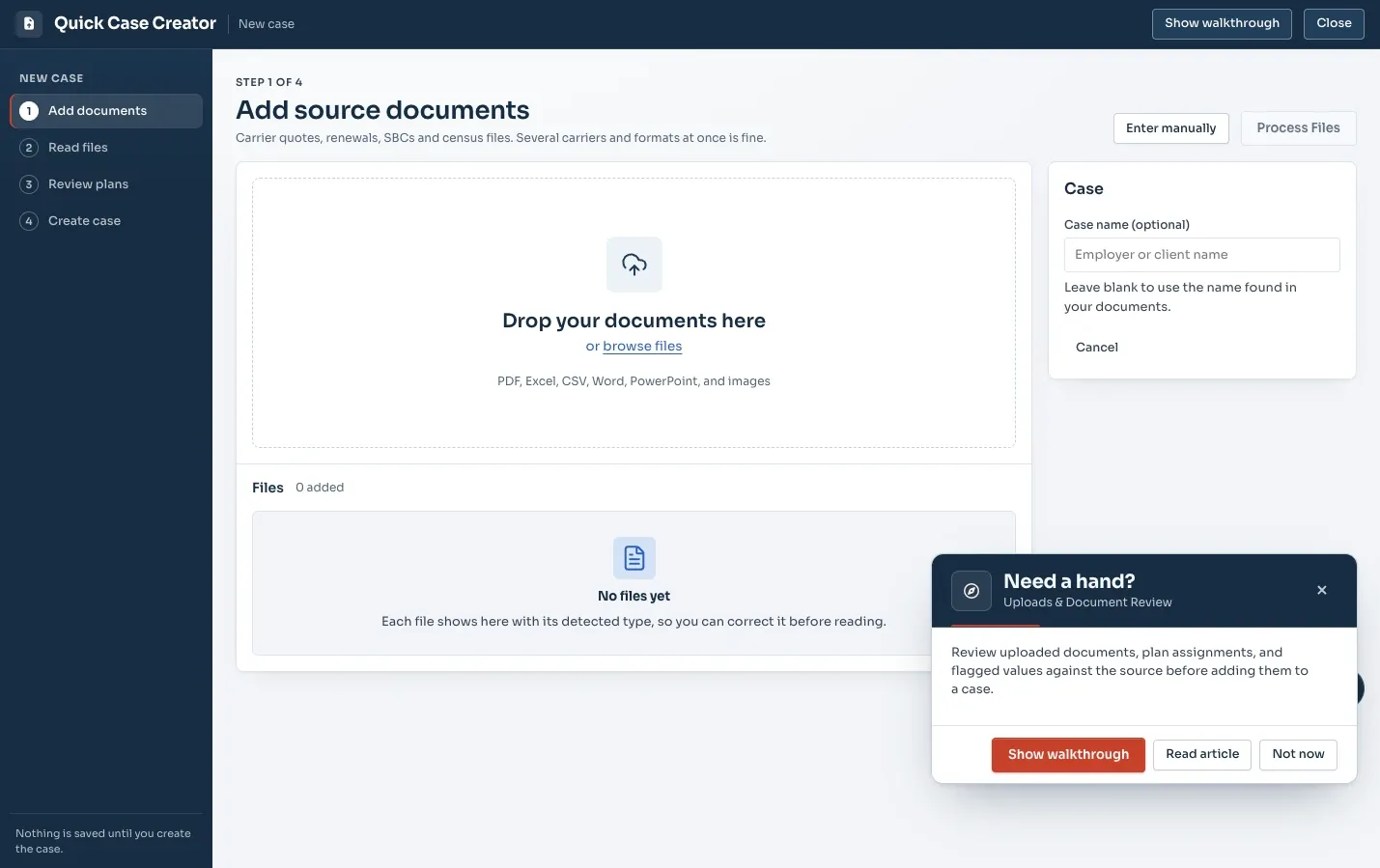
What to bring into the case
Start with the material that explains the plan options and costs you are comparing. Typical sources include carrier quotes, rate sheets, SBCs, current invoices, benefit summaries, and spreadsheets.
- Use the original carrier document whenever it is available.
- Include the rate information that applies to the plan year being reviewed.
- Keep current, renewal, and alternative plan material identifiable.
Prepare files for a cleaner review
For the complete sequence after preparation, see how to analyze PDF and Excel benefit files. The Planlined product walkthrough shows how document intake connects to the comparison and proposal.
Legible, complete documents make source review easier. When possible, use digital files from the carrier system and include the pages that define deductibles, copays, network rules, premiums, contribution inputs, and other values that matter to the recommendation.
- Use the clearest available version of each document.
- Include document pages that show the relevant plan and rate details.
- Give uploaded files names that make their carrier, plan year, and purpose understandable.
Review the extracted case against the source
Planlined makes the source material available while you review plan data. Use that pairing to check the fields that drive the comparison and client-facing recommendation. Correct or confirm values before you begin modeling alternatives.
- Check benefit values against the carrier source.
- Verify rate and coverage-tier information.
- Confirm which plans belong in the current, renewal, and alternative views.
- Resolve questions before the case becomes the baseline for Scenario Manager.
File formats, and which ones read cleanly
Planlined accepts PDF, Excel (XLSX, XLSM, XLS), CSV, Word (DOCX), PowerPoint (PPTX) and PNG or JPG images, up to 50 MB each. They are not all equally good sources, though, and choosing well at this step saves review time later.
| Source | How it behaves | Use it when |
|---|---|---|
| Digital PDF from the carrier system | The best case: the text is already text, and the layout is the carrier's own. | Always, when it exists |
| Excel or CSV rate grid | Read cell by cell, deterministically, with no model in the loop. | Rate sheets and renewal workbooks |
| Scan or photo of a printed document | Readable, but crookedness, low contrast and shadows all cost you accuracy, so expect more fields to confirm by hand. | Only when no digital original exists |
| Screenshot of a quoting portal | Works for filling a gap, but usually shows a summary rather than the underlying rates. | A missing detail, not a whole plan |
| Retyped summary in your own spreadsheet | No longer a source. Nothing can be checked against it. | Never, as the source of record |
The principle behind the table is simple: the point of the upload is not to get data into the system, it is to keep the data attached to something you can check it against. A retyped summary breaks that chain, which is why a mediocre scan of the real document beats a tidy transcription of it.
Name files so the case explains itself
File names are the cheapest metadata you will ever create, and they matter most when you come back to a case six weeks later, or when a colleague picks it up. A workable convention has four parts: client, carrier, document type, plan year.
Ridgeline_Aetna_Quote_2026.pdfRidgeline_Current_SBC_2025.pdfRidgeline_UHC_RateSheet_2026-rev2.xlsxRidgeline_Invoice_Jun2025.pdf
Note the rev2. Revised rate sheets are the single most common cause of a case that no longer reconciles, and a name that records the revision is how you notice you have two of them.
Use the same convention when you keep a plan for another case. The plan organization and reuse checks covers carrier, benefit-type and plan-year organization so an older design stays distinguishable from the current quote.
A worked example: the Ridgeline Components upload set
Ridgeline Components Inc is the sample case Planlined ships with. A complete intake for a medical renewal with ancillary lines looks like this:
- The current medical SBC and the current dental, vision, life and disability benefit summaries.
- A recent carrier invoice — this is what tells you who is actually enrolled, as opposed to who the census says is enrolled.
- The incumbent's renewal letter and any alternate plans it offers.
- Each competing carrier's quote, together with its rate sheet.
- The census the carriers were quoted on, as a spreadsheet.
Five categories, and the case is complete. What most commonly goes missing is the invoice, because it feels redundant next to the census — and it is the one document that catches an enrollment count that has been wrong all year.
What to check before you move on
Planlined places extracted fields beside the source page and flags values it is unsure about rather than guessing. Your job at this step is to check the handful of fields that everything downstream depends on:
- The carrier and plan name, spelled as the carrier spells them, including the network suffix.
- The effective date each quote assumes — different dates between quotes is the most frequent reason two options are not comparable.
- The rate basis: composite or age-banded, and which coverage tiers were quoted.
- Deductible type, embedded or aggregate, on the family row.
- The out-of-pocket maximum, in-network and out.
- Prescription tiers, including specialty.
- That every plan has been designated as current, renewal or alternative, so nothing sits in the case unlabelled.
Common mistakes
- Uploading the proposal summary page instead of the rate sheet. Summary pages round and group tiers together; the rate sheet is the source.
- Leaving an obsolete rate sheet in the case. If a carrier sent a revision, remove or clearly mark the version it replaced.
- Skipping the invoice. Without it, the enrollment counts behind every annual total are unverified.
- Reviewing only the flagged fields. Flags catch uncertainty, not a confidently-read wrong plan name. Give the plan and network names a second look regardless.
- Correcting a value in the export instead of the case. The fix lasts exactly until the next export.
Keep a clear handoff into recommendation work
Once the case is reviewed, it can become the baseline for Scenario Manager. That separation helps your team explore options in a safe working copy while preserving the source-verified case for comparison and future follow-up. From there the same case feeds the plan comparison and the client deliverables — see the quick start guide for the full path from files to a delivered proposal.
Start with a reviewable case
Bring carrier files and source verification into the same Planlined workflow.