Feature
Scenario modeling for benefit renewals
Fork a Planlined case, model a strategy, compare the impact, and adopt the option you choose — without changing the original while you work.
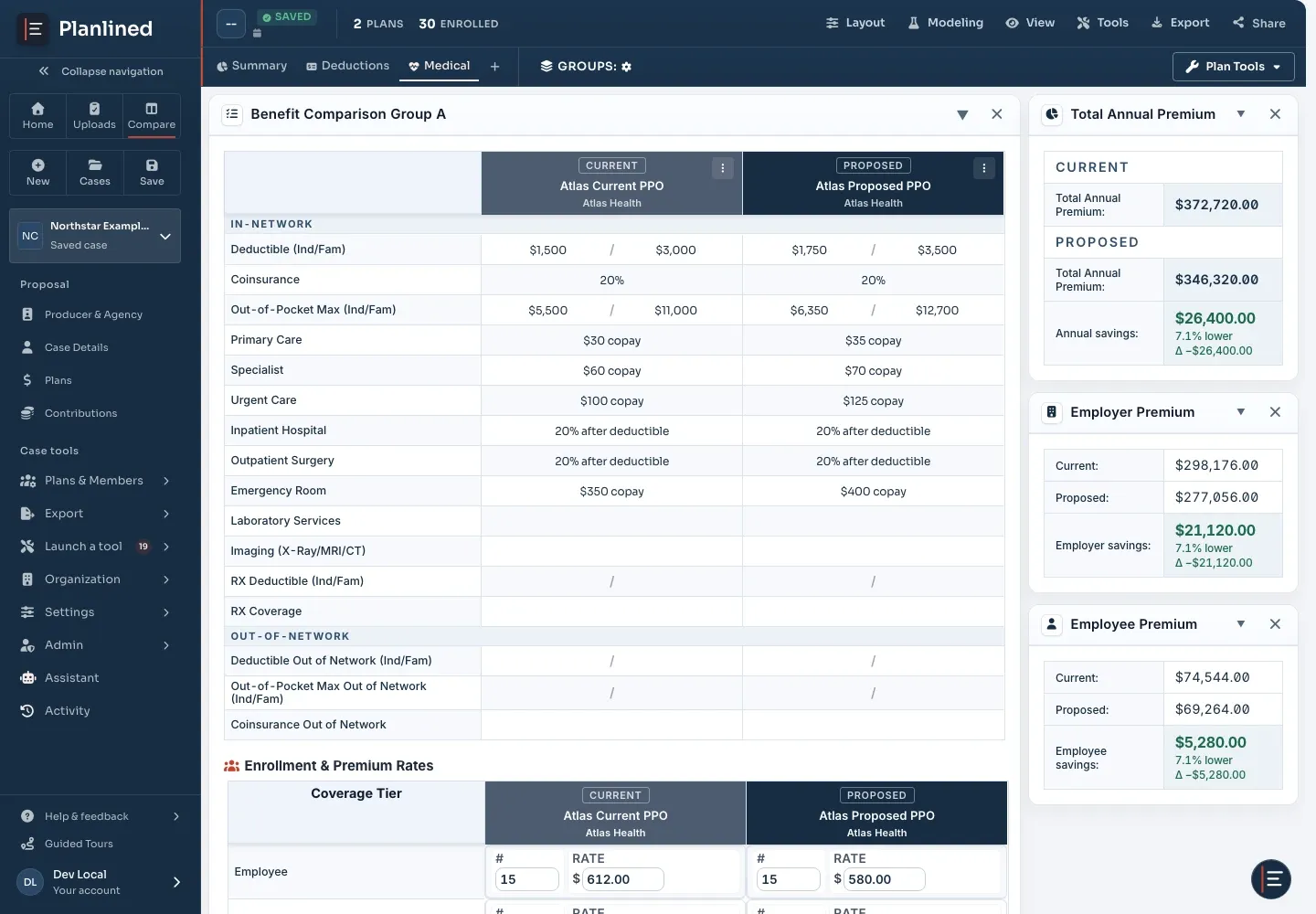
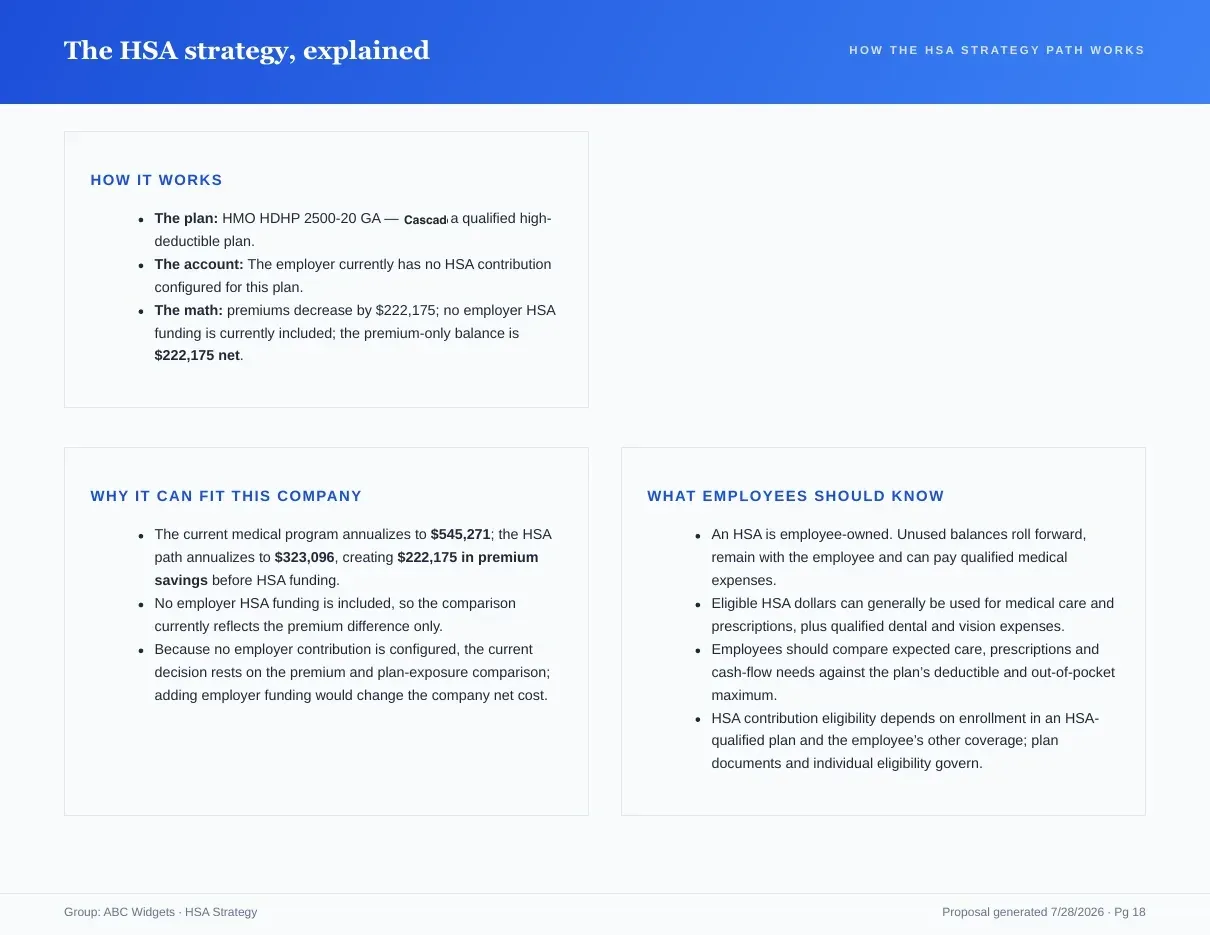
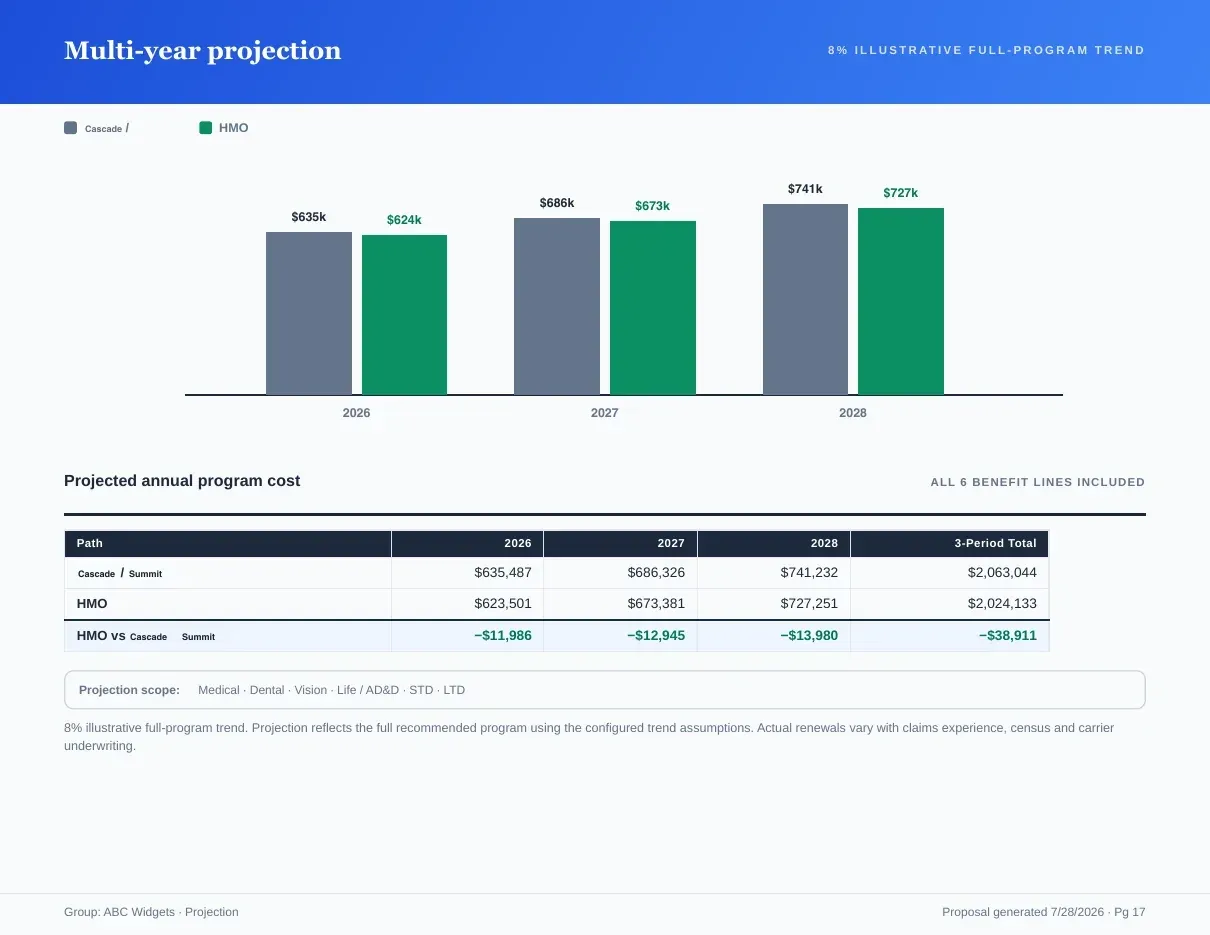
Page 1 of 3Current, proposed and alternate by tier, with the employer cost impact.
What you get
Why Scenario Modeling?
- Work on a safe copyStart from the groups and plans you choose. Your live case remains unchanged while you test the option.
- Scope each alternativeFork one plan group or several, so a medical change does not accidentally rewrite every benefit line in the case.
- Model plan and enrollment movesAdjust contribution settings and enrollment movement, then see the cost impact beside the scenario baseline.
- Compare the decision clearlySee annual total, employer, and employee costs together before deciding which strategy becomes the recommendation.
- Adopt deliberatelyBring the selected scenario back into the case only when you are ready. The other alternatives stay available for comparison.
- Carry the strategy forwardUse the selected option in proposal financials, projections, and client presentation work without rebuilding the case.
From option to recommendation
Name the scenario and choose the plan groups it should fork from. The selected plans and enrollment values become its baseline.
Test contribution changes, plan choices, and enrollment moves while the impact panel keeps employer and employee totals in view.
Review the difference against the baseline. When the recommendation is settled, adopt it into the case and use it in the proposal.
This page covers the Scenario Manager feature itself. For the strategy behind it (when a what-if is worth running at renewal and how to present the result), read the what-if scenario modeling guide for brokers. For a screen-by-screen walkthrough of building and adopting a scenario in the app, follow the step-by-step Scenario Manager tutorial.
Inputs and outputs
What goes in, what comes out.
You bring
- The plan groups you choose to fork, whose plans and enrollment values become the scenario baseline.
- The contribution changes, plan choices and enrollment moves you want to test.
You get back
- Annual total, employer and employee cost for the scenario beside its baseline.
- An adopted scenario that feeds proposal financials, projections and the client presentation.
- The alternatives you did not adopt, still available for comparison.
Every accepted file type and export format is listed on the integrations, exports and API page, and the one-page summary of what Planlined is and is not lives on Planlined product facts.
When to use it
Where it fits in a renewal.
- Testing an HSA-qualified planFork the medical group, move part of the enrollment to the HSA-qualified option and compare the cost against the baseline before it reaches the strategy page.
- A contribution change the client is unsure aboutModel the new split in a working copy so the live case keeps the current recommendation until the client decides.
- Several alternates for one meetingBuild more than one scenario, keep each available, and adopt only the one the committee chooses.
What it does not do
- It does not overwrite the live case. Nothing changes until you adopt a scenario.
- It is not a quoting engine. Scenarios work with the plans and rates already in the case.
Scenario modeling questions
What is scenario modeling in Planlined?
A scenario is a working copy of selected plan groups in a case. You test contribution, plan and enrollment changes, compare annual total, employer and employee cost against the baseline, then adopt the option you choose.
Does a scenario change the original case?
No. The live case stays unchanged while you work. A scenario becomes part of the case only when you adopt it, and the other alternatives stay available for comparison.
Can an adopted scenario go straight into the proposal?
Yes. The selected option is used in proposal financials, projections and client presentation work without rebuilding the case.
Run your next renewal through Planlined.
Upload the carrier packet. Walk out with the comparison, the proposal book and the employee guide.