Features
Benefit proposal tool features, built around the broker workflow.
From Quick Case Creator intake to client and employee delivery, these pages map to the connected work brokers can use in the app right now.
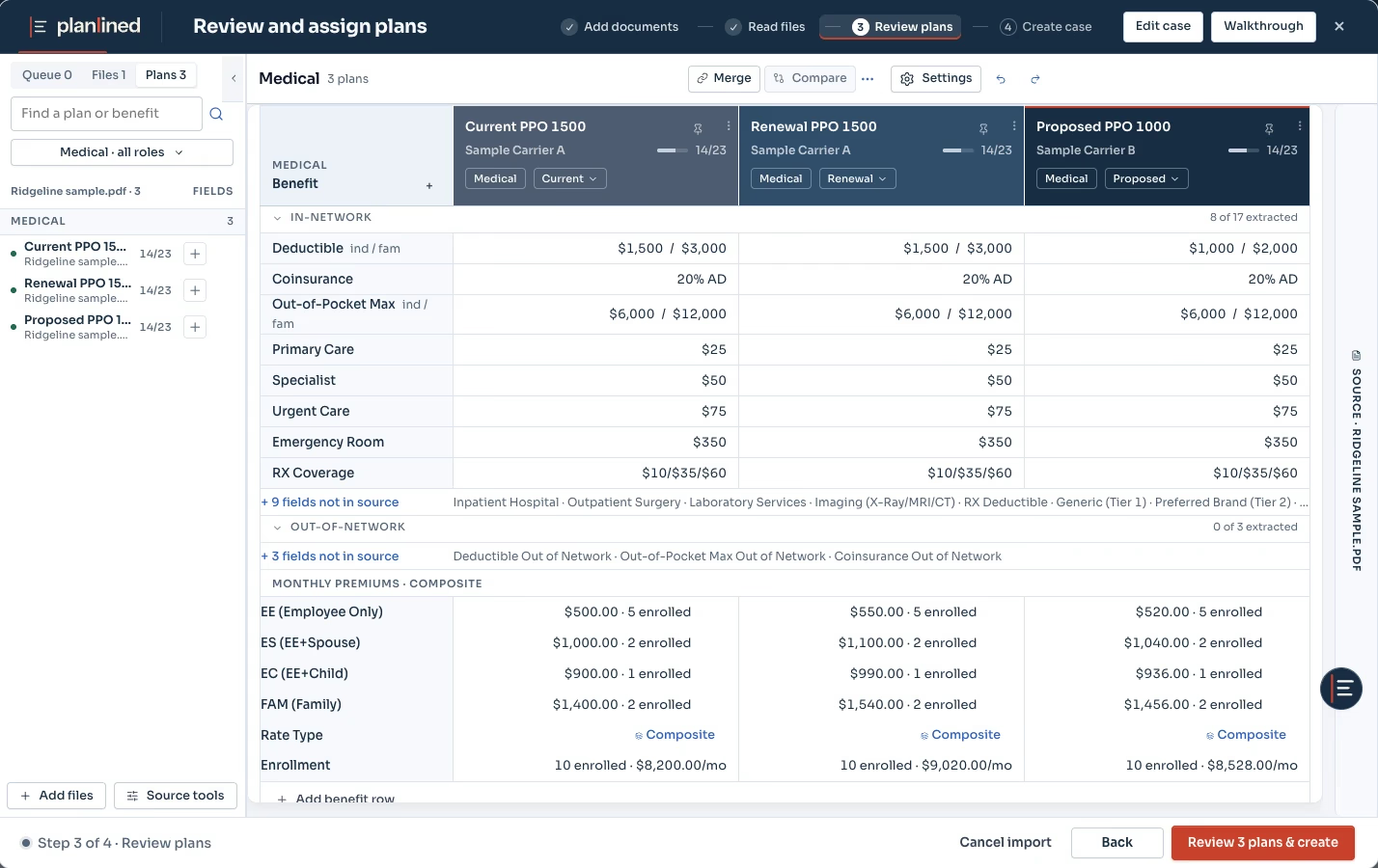
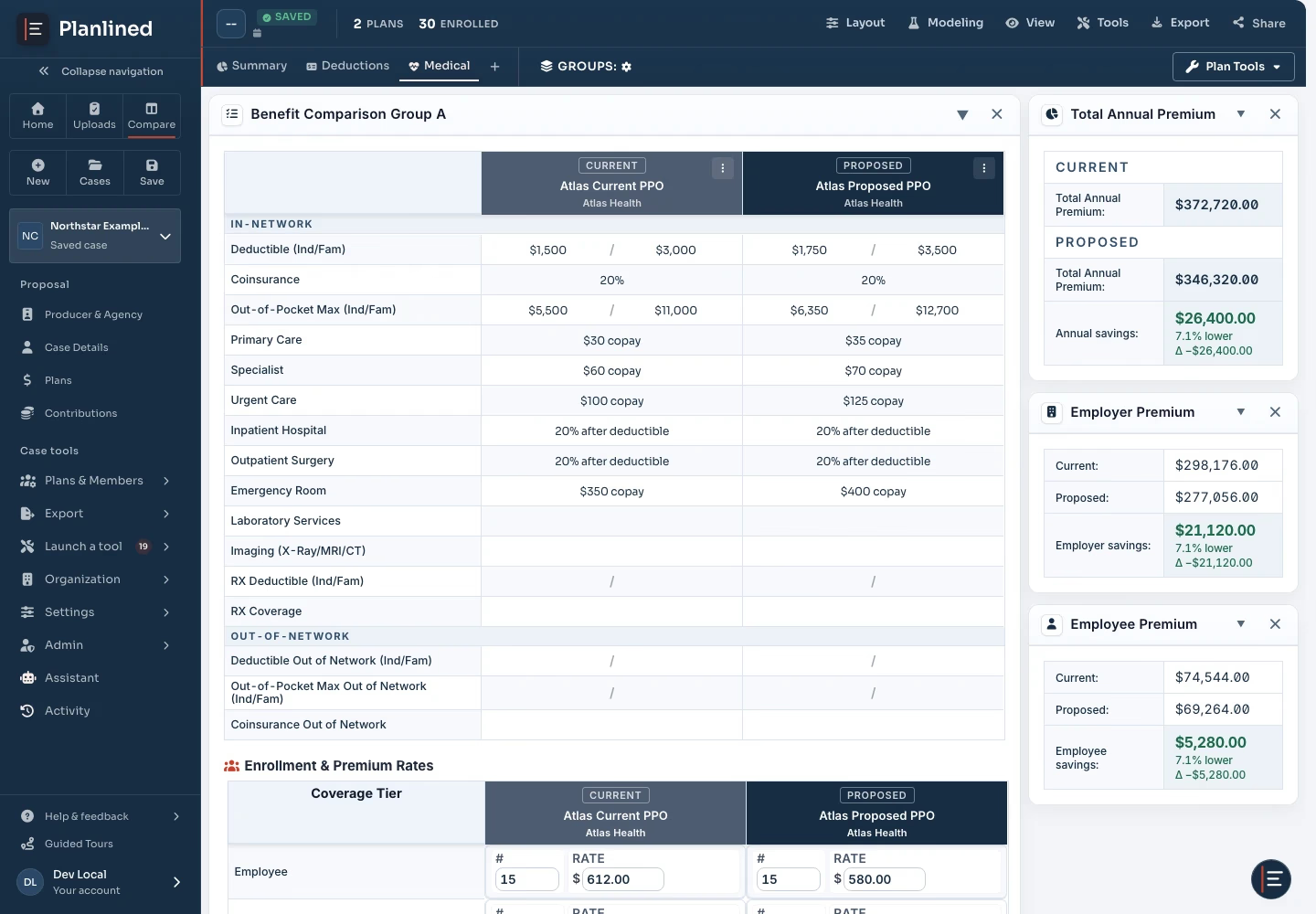
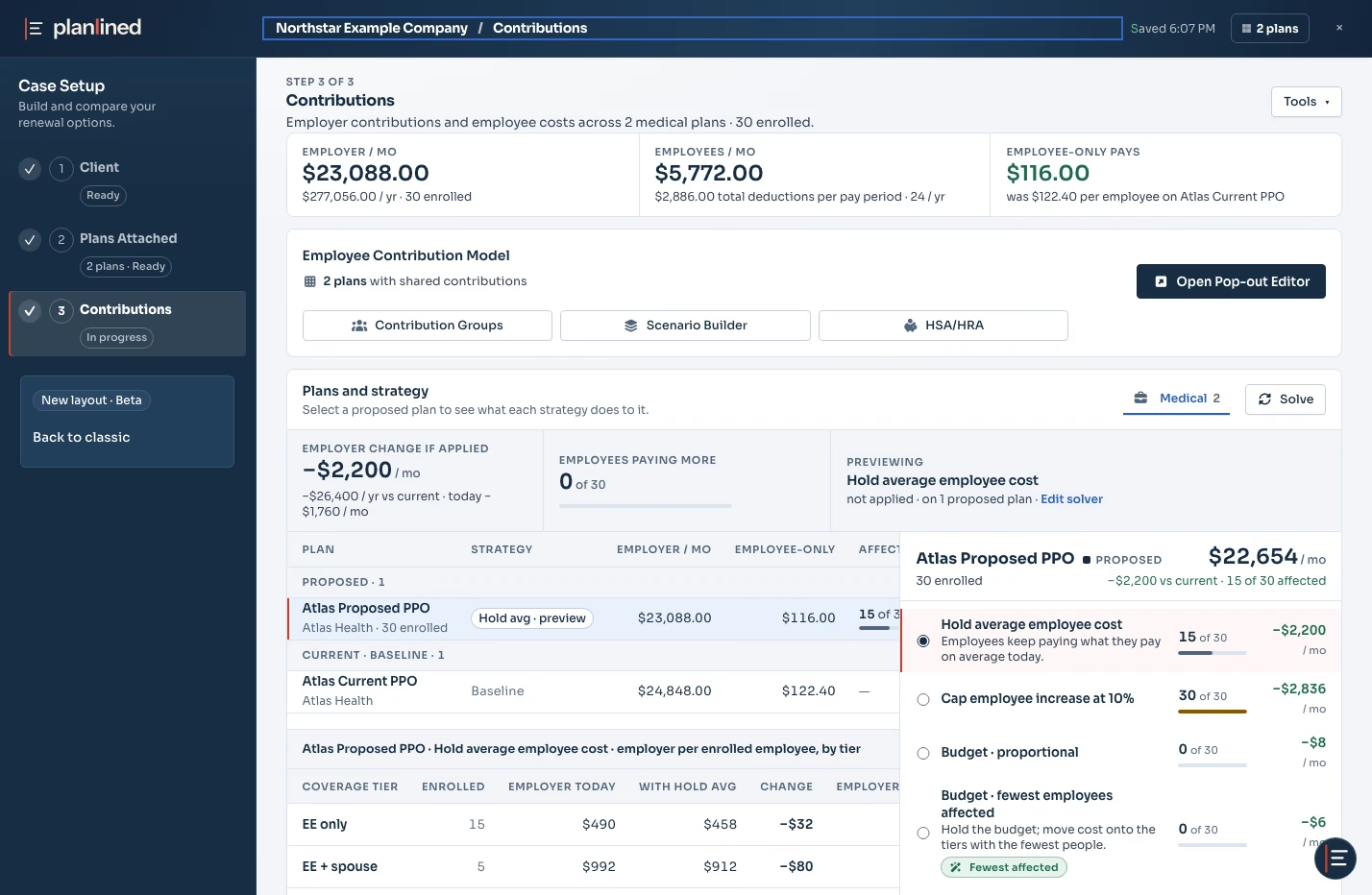
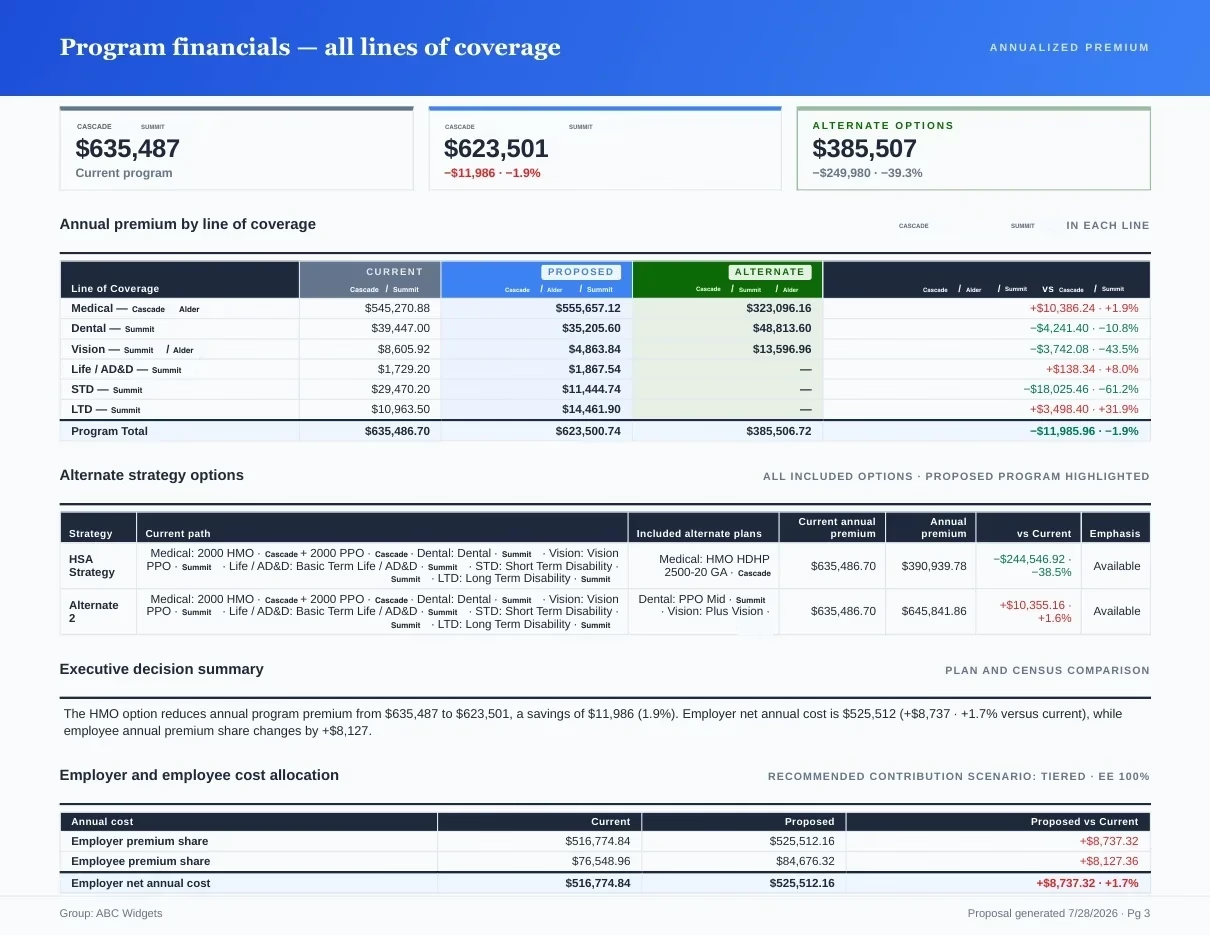
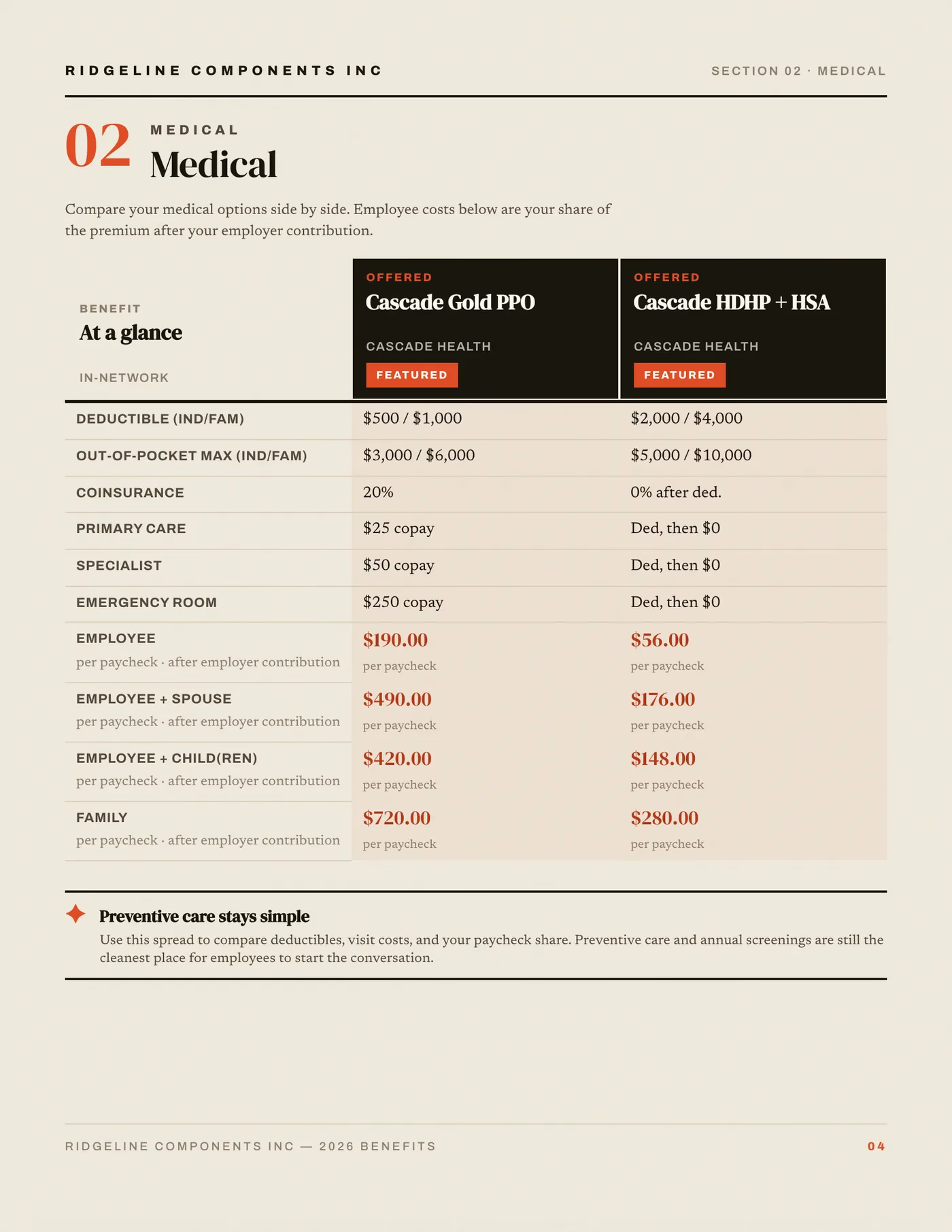
Page 1 of 5Review extracted plans against the carrier packet before assigning roles.
Featured capability
Paste a screenshot. Review the plan row.
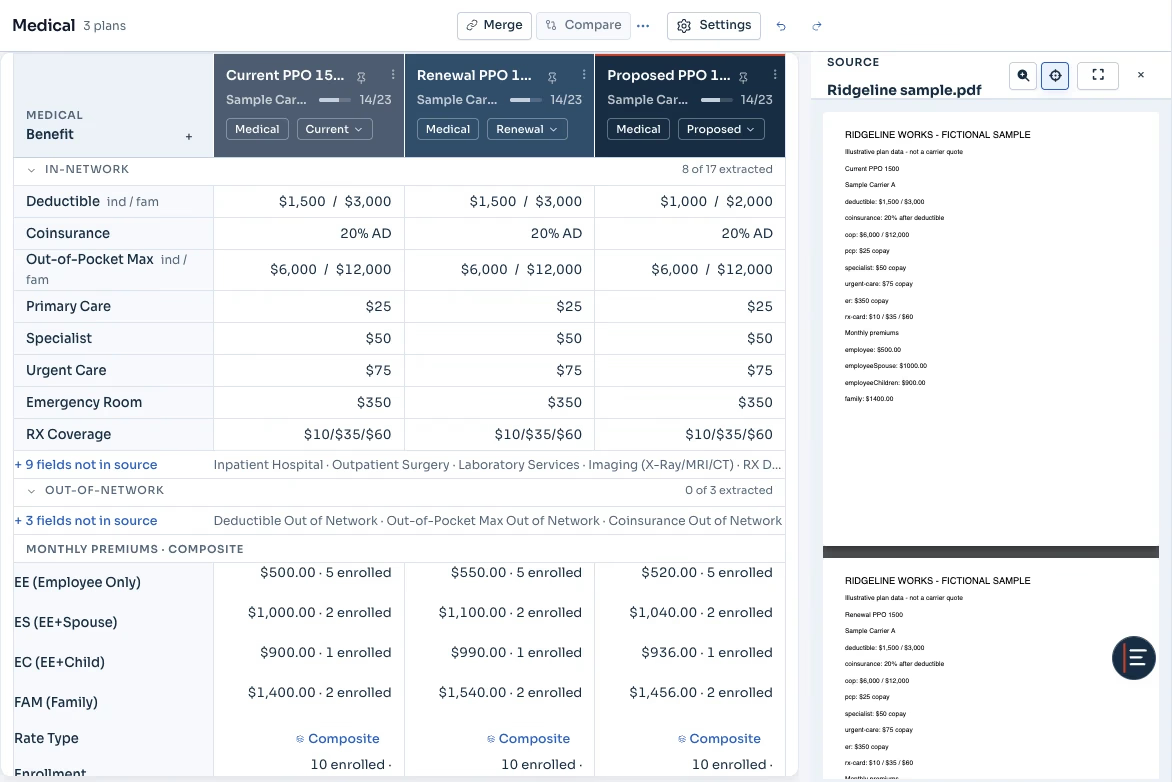
Paste screenshots or images straight into a comparison. Planlined reads the plan details into the normalized table, for review against the original document. Check missing or incomplete fields before using them; source-page links may be unresolved.
- Paste from the clipboard or upload images
- Review captured plan attributes beside their source
- Auto-maps into the side-by-side layout
Core workflow
Explore the core workflow features.
- Document ParsingUpload carrier files and extract structured plan data with source-side verification.
- AI Assistant ConnectorTurn analysis in Claude, ChatGPT or Copilot into a reviewed case, a branded benefit proposal and a professional client presentation.
- Scenario ModelingCreate a safe working copy, compare strategies, and deliberately adopt the recommendation that moves forward.
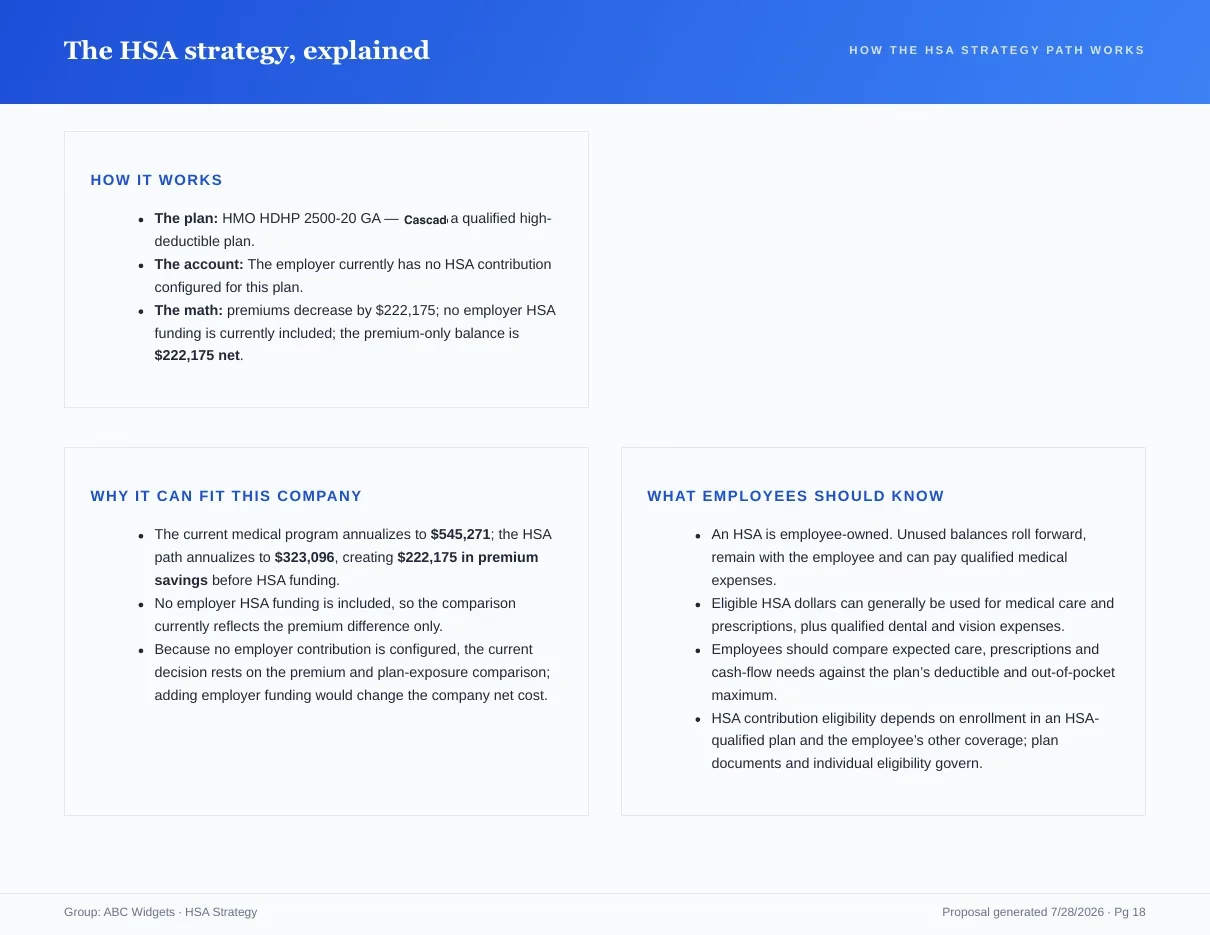
- Proposal BookGenerate a designed proposal book with financials, comparisons, strategy, and sign-off pages.
- Present ProposalRun the client meeting from the selected case with a focused, presenter-friendly story.
- Benefit GuideCreate the employee-facing companion from the same recommendation and plan data.
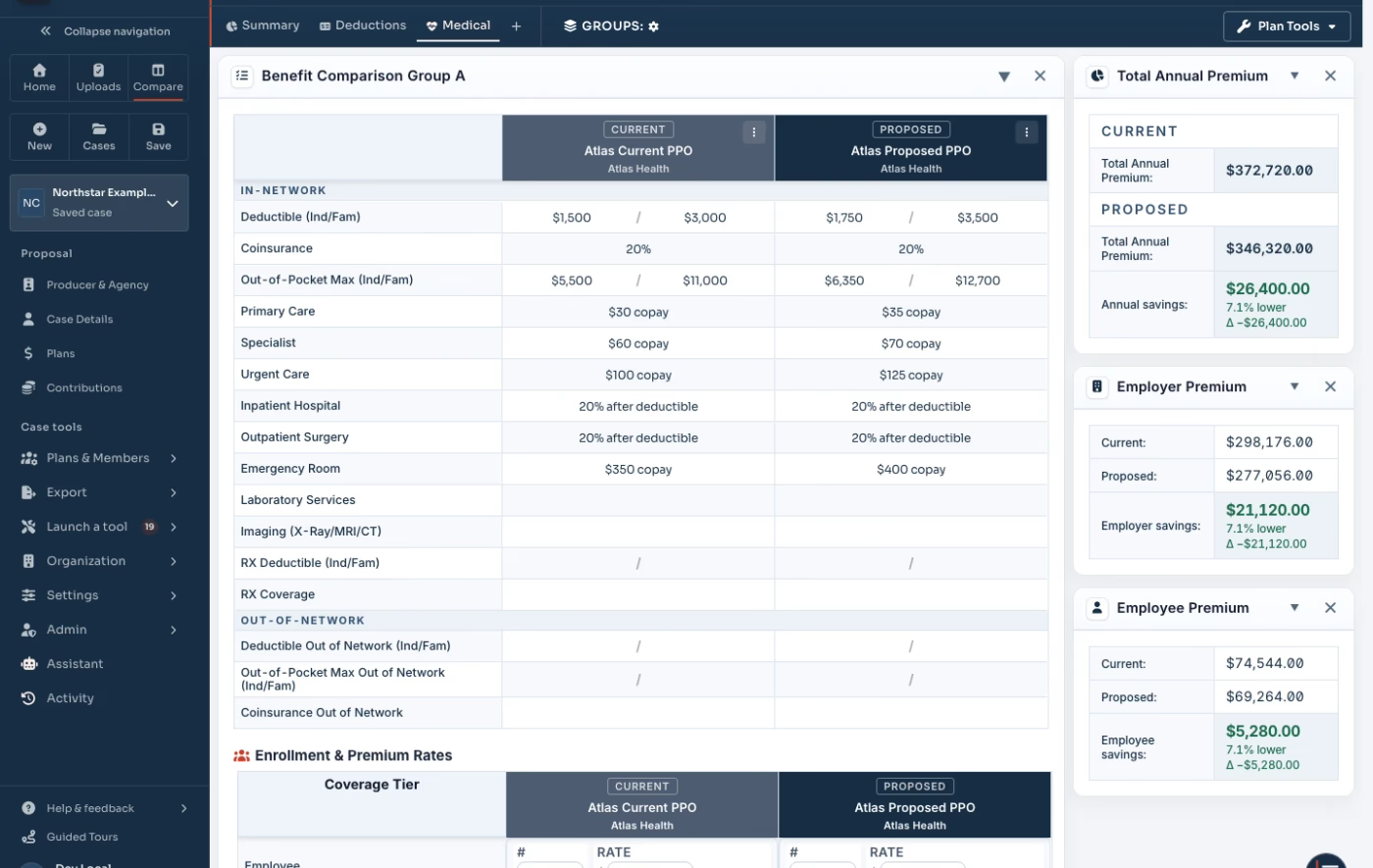
- Plan ComparisonAlign current, proposed, and alternate plans side by side for client-ready review.
- Contribution ModelingModel employer and employee cost splits, HSA/HRA setups, and affordability checks.
- Carrier Quote AnalysisParse renewal quotes and invoices into normalized rates, enrollments, and plan details.
- Case LibraryKeep active and historical cases searchable, cloud-synced, and ready for reuse.
Every page above describes one step of the same case. For the plain list of what Planlined reads, produces and costs, see Planlined product facts; for accepted files, exports, the REST API and connectors, see integrations, exports and API; and for the pages organized by job to be done, start at benefits software solutions for brokers.
Reviewable by design
Details that keep the case reviewable.
- Source ReviewKeep the original carrier material available while you confirm the plan values that matter.
- Client MaterialsPrepare a Proposal Book, Present Proposal deck, or Benefit Guide from the approved case.
- Affordability ChecksUse affordability calculations as one input to a reviewable plan recommendation.
- Client Sharing & DeliveryShare recommendations through secure links, proposal exports, and live presentation mode.
- Rate PositioningPrepare carrier and client rate discussions from comparisons, projections, and benchmark context.
Workflow outcomes
What each stage is for, and what it produces.
- Quick Case CreatorLow setup effortBest forTurning carrier files into structured plansPrimary outputPlan fields to review against the original document
- Contribution ModelingLow setup effortBest forTesting ER/EE strategies before client reviewPrimary outputPer-tier employer and employee cost deltas
- Plan ComparisonLow setup effortBest forShowing current vs proposed in one viewPrimary outputAligned benefit and premium tables
- Proposal DeliveryMedium setup effortBest forSending recommendations in client-ready formatsPrimary outputProposal book, presentation mode, and guide exports
Product tour
See the connected workflow.
Follow a case from carrier-file intake and verification to Scenario Manager, Proposal Book, Present Proposal, and Benefit Guide.
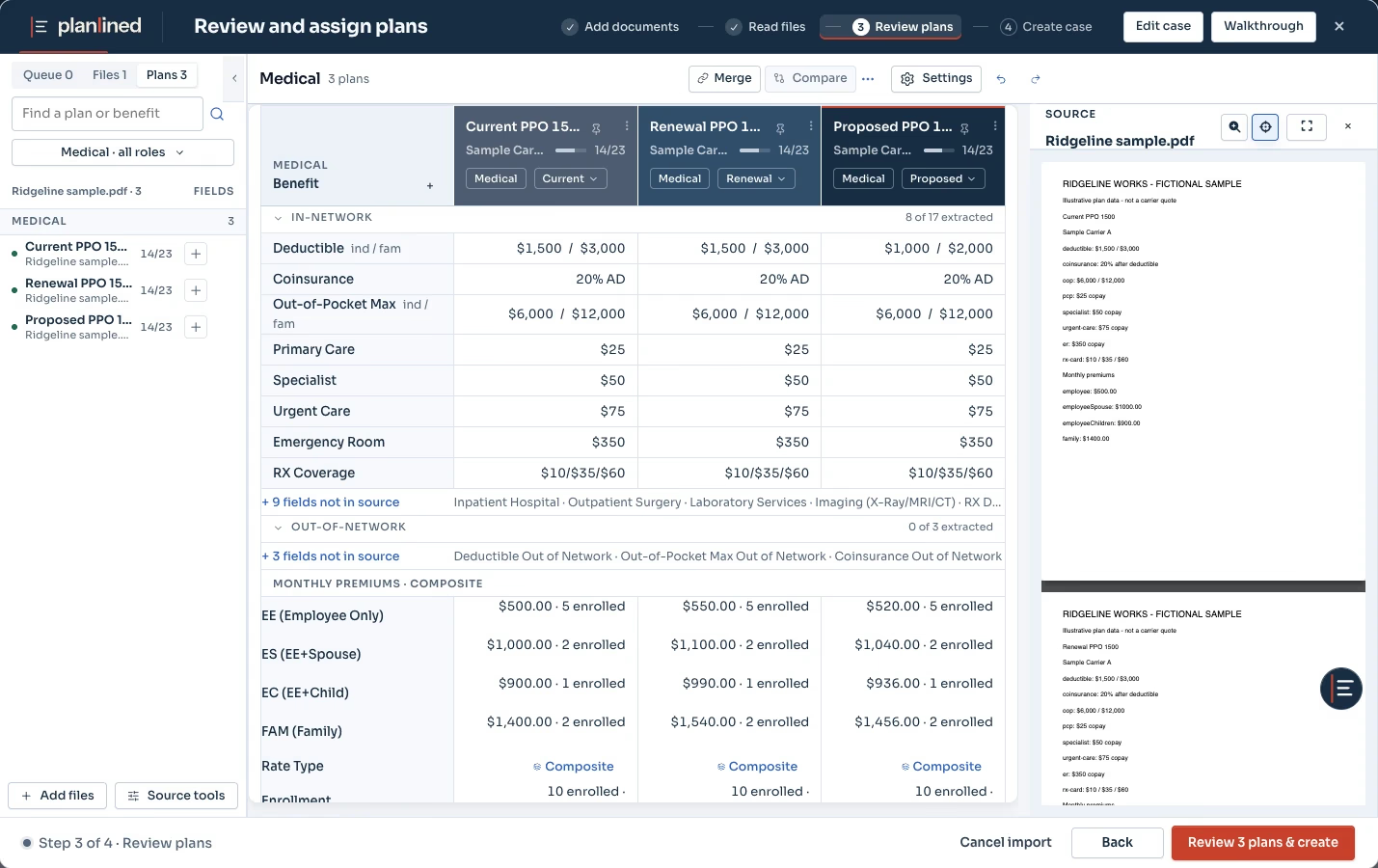 Open the product tour
 Core capabilities
From carrier packet to client-ready export.
Quick Case Creator
Automate document intake
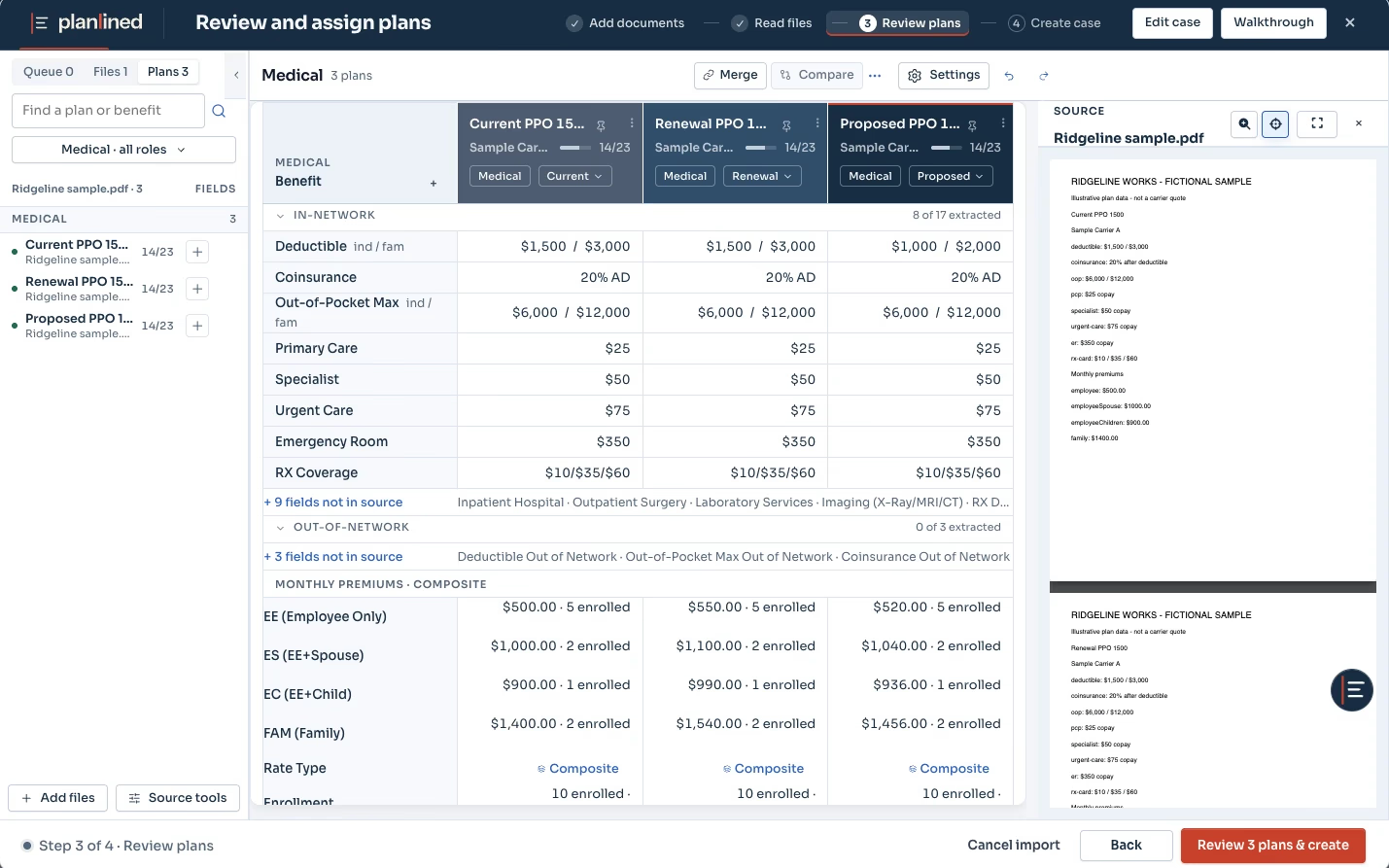
Upload PDFs, Excel files, and census data. Planlined extracts plan details and rates for review. Check the original document and set or confirm contributions before preparing a proposal.
- Review against the original
Scenario Manager
Test strategies before the client sees them
Create a safe working copy, compare contribution and enrollment choices, then deliberately adopt the recommendation that should move into delivery.
- Safe working copy
Plan Comparison
Compare plans side by side
Align benefits across carriers automatically. Highlight the differences and present options clients can actually understand.
- Current, proposed, and alternate views
Learn more
Guides and resources.
Run your next renewal through Planlined.
Upload the carrier packet. Walk out with the comparison, the proposal book and the employee guide.