Feature
Benefits Invoice Reconciliation
Planlined compares a carrier invoice with the census and flags members billed but not enrolled, enrolled but not billed, and billed on the wrong coverage tier. In a dated November 6, 2026 check on fictional files it caught three of five planted errors; it did not check contracted rates or price the variance. The worked example below shows the full arithmetic by hand.
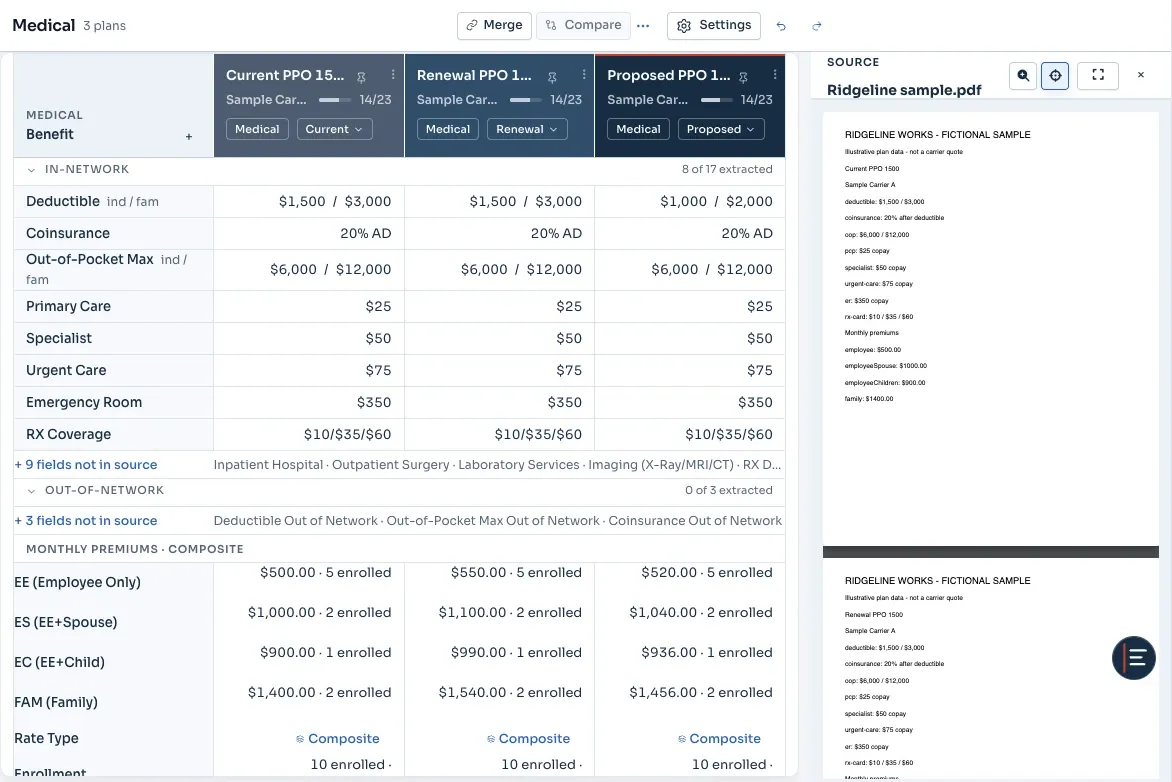
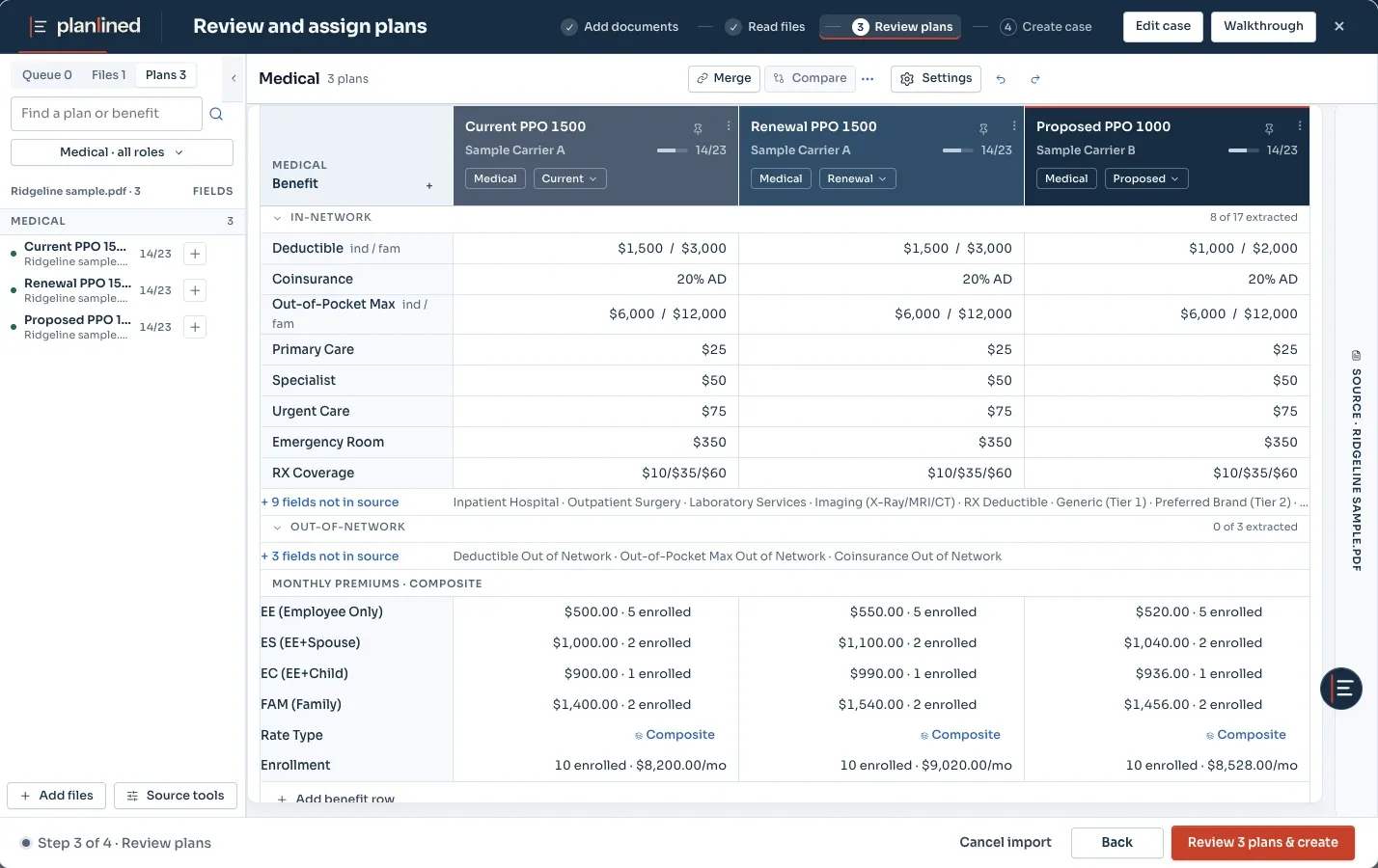
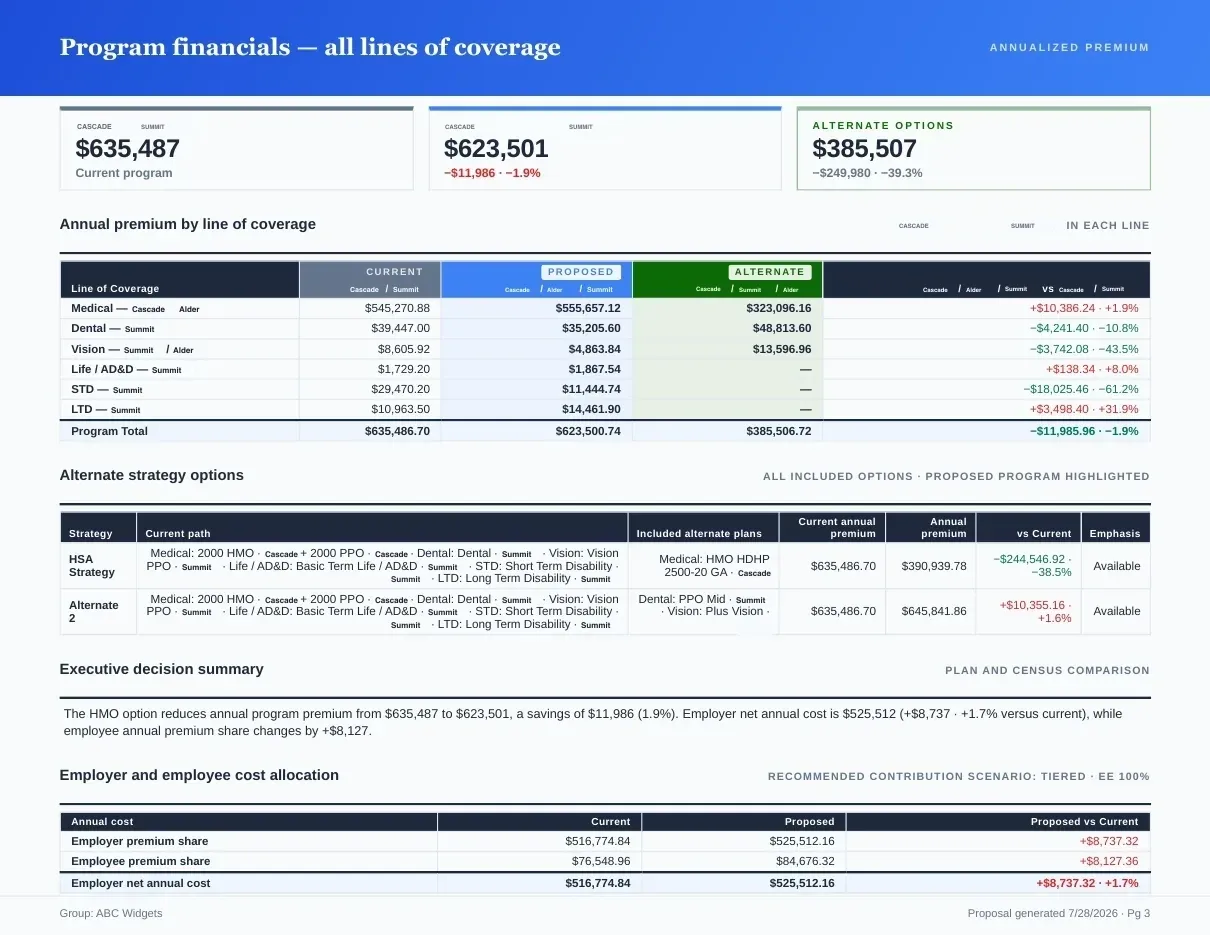
Page 1 of 3Extracted fields sit next to the carrier PDF; uncertain values are flagged.
What you get
Why Benefits Invoice Reconciliation?
- PDF Invoice ParserExtract enrollment counts, premium amounts, rates, and plan details from supported carrier billing statements for review.
- Enrollment VerificationCompare invoice enrollment against census data and review discrepancies before accepting a result.
- Rate ReconciliationCheck each billed premium against the invoice's own rate for that plan and tier. Contracted renewal rates are not checked automatically.
- Historical TrackingSave and restore reconciliation work so the review can continue without rebuilding the session.
- Multi-Line SupportChoose which benefit types belong in the comparison so unrelated lines do not create false discrepancies.
- Export & ReportingReview the reconciliation detail and preserve a versioned record of the working session.
Software can reconcile a benefits invoice against enrollment—if the mappings stay reviewable.
Planlined reads the invoice and the census, pairs each billed subscriber with an enrolled employee, and surfaces members billed but not enrolled, enrolled but not billed, and on a different tier. It compares each premium with the invoice's own rate for that plan and tier, not with contracted renewal rates, so rate errors that affect a whole tier still need a manual check. Plan mappings stay reviewable in the Scope & Mapping step.
For the monthly operating checklist, see the benefits invoice reconciliation guide. Dental and vision lines on the same bill reconcile the same way, tier by tier; the dental and vision comparison guide covers how those plans are structured.
Fictional worked example
One October invoice, checked against enrollment.
The group has one medical plan at the renewal rates. Three enrollment changes landed around October 1: E-104 terminated on September 15, E-107 added a spouse, and E-111 was hired into employee-only coverage. The October census therefore has four employee-only, three employee-plus-spouse, one employee-plus-children and two family contracts.
| Coverage tier | Rate | Census | Invoice | Expected | Billed | Variance |
|---|---|---|---|---|---|---|
| Employee only | $550 | 4 | 5 | $2,200 | $2,750 | +$550 |
| Employee + spouse | $1,100 | 3 | 2 | $3,300 | $2,200 | −$1,100 |
| Employee + child(ren) | $990 | 1 | 1 | $990 | $990 | $0 |
| Family | $1,540 | 2 | 2 | $3,080 | $2,800 | −$280 |
| Total | 10 | 10 | $9,570 | $8,740 | −$830 |
| Flag | Invoice line | Expected | Billed | Variance | Next step |
|---|---|---|---|---|---|
| Terminated employee still billed | E-104, employee only. Terminated September 15; coverage ended September 30. | $0 | $550 | +$550 | Request a credit with the termination record. |
| Tier not updated | E-107 added a spouse effective October 1 and is still billed as employee only. | $1,100 | $550 | −$550 | Confirm the carrier received the qualifying-event change. |
| Missing new hire | E-111, employee only, eligible October 1. Not on the invoice. | $550 | $0 | −$550 | Confirm coverage first, then the billing correction. |
| Prior-year rate | Two family contracts billed at the old $1,400 instead of the $1,540 renewal rate. | $3,080 | $2,800 | −$280 | Confirm the renewal effective date with the carrier. |
| Unmapped plan code | ASH-DEN-B, one contract, $38. No plan in the case uses this code. | — | $38 | Unverified | Map it or leave it unverified. Excluded from the medical totals. |
Download the fictional invoice and renewal workbook (Excel, 10 KB). It contains editable assumptions and formulas, assembled for this example rather than exported from Planlined.
What the example shows
Headcount matches, ten contracts on each side, and the net variance is −$830. The four priced lines still move $1,930 in both directions: a terminated employee billed for a month, a new hire who may not be covered, a tier change the carrier missed and a renewal rate applied late. Checking totals alone does not identify the individual records behind the difference. The unmapped dental code stays unverified instead of being folded into a plan it might not belong to.
Planlined supports invoice, census and plan-rate review within a case; the available detail depends on the source files and reviewed mappings: supported invoice data is read, paired with the census and plan rates selected for the case, and enrollment, tier and rate differences are flagged for review. The broker still decides each item and files corrections with the carrier; Planlined does not contact carriers or change bills. Ongoing premium administration across HRIS feeds and carrier payments is a separate workflow: Planlined vs Tabulera sets out where each fits, and the documented integrations and exports show which connections Planlined actually has.
What the reconciliation caught on the same fictional invoice
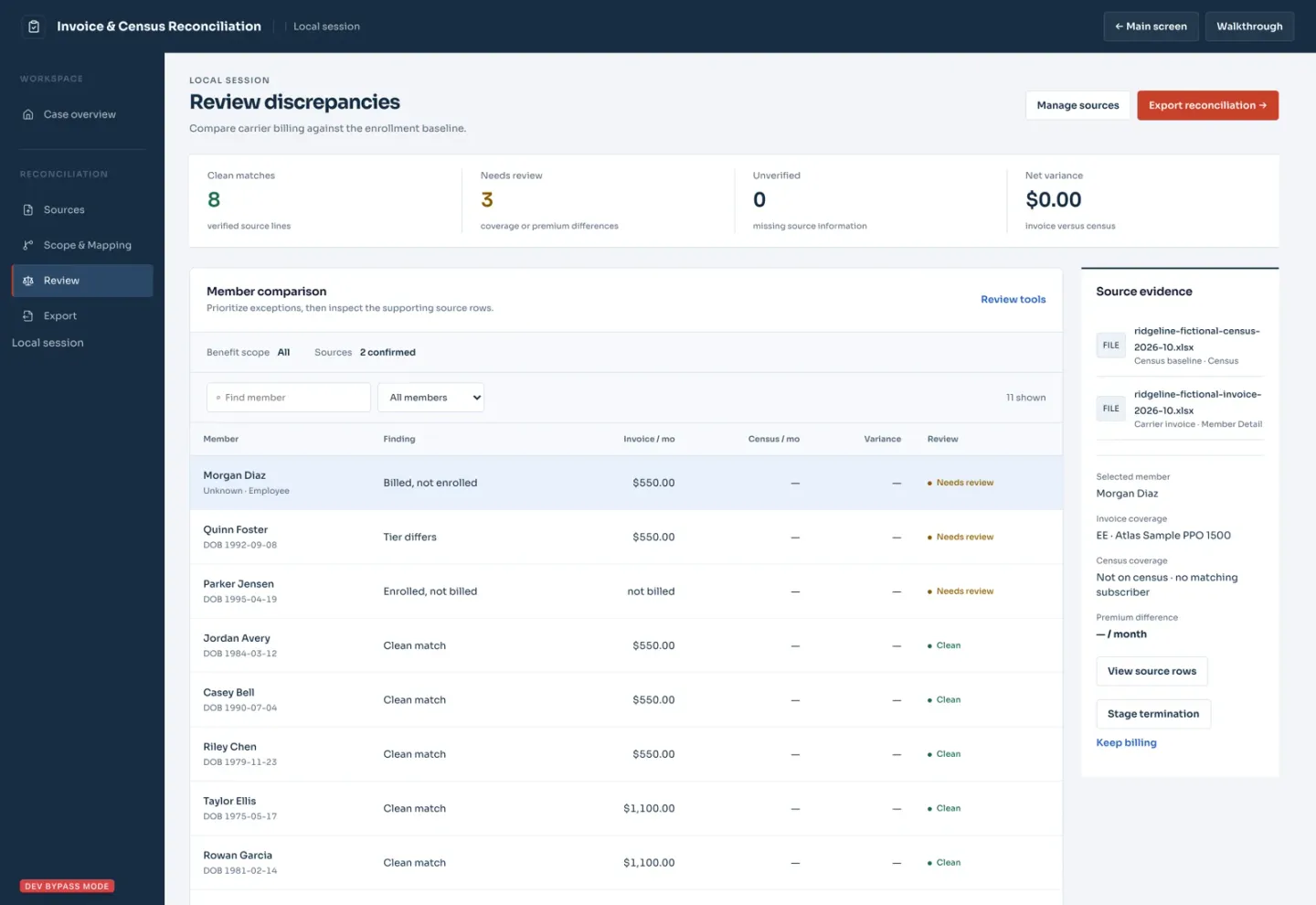
We ran the fictional census and invoice behind the worked example above through Planlined's Invoice & Census Reconciliation page once, without editing any values. It matched 8 of 10 members and flagged three findings for review. It ran on a local development build of the app, not the production release, and no case was saved.
| Planted error | Reported by Planlined |
|---|---|
| Terminated employee still billed (+$550) | Caught: billed, not enrolled |
| Spouse added, still billed as employee only (−$550) | Caught: tier differs |
| New hire missing from the invoice (−$550) | Caught: enrolled, not billed |
| Two family contracts at last year's rate (−$280) | Not caught: shown as clean matches, because premiums are compared with the invoice's own rate table |
| Unmapped dental plan code ($38) | Not caught: shown as a matched line rather than unverified |
Dollar variances were not calculated: the census carries no premiums, so net variance read $0.00, and the −$830 net and $1,930 gross figures above remain hand arithmetic.
Inspect the fictional invoice, the fictional census, the unedited audit CSV export and the dated check record, which lists the method, the server requests made and what this run does not establish.
What you can verify before trying it
Before accepting a reconciliation, check the billing period, coverage effective dates, enrollment changes and plan-code mappings. Retain each unresolved line separately; a matching total or headcount does not establish that every employee is billed correctly.
The dated sample proposal and verification method provides a fictional source PDF, expected values and a six-page application export. On October 20 the app extracted both plans and all eight monthly rates from that PDF; plan roles and contribution settings were set manually, and source-location linking remains unverified. An earlier October 16 attempt failed to import, so that case was entered manually, saved and reopened; the page documents both runs. Neither verifies automated invoice reconciliation or an accepted carrier counter-offer.
Inspect the October 20 sample proposal PDF, or use the editable workbook above to check the illustrative arithmetic. The workbook and this page's worked example were assembled separately from the application.
Data Extracted from Invoices
Employee, EE+Spouse, EE+Child, Family counts
Monthly premium amounts per benefit line
Per-employee rates for each coverage tier
Coverage periods and billing cycles
Carrier plan identifiers and product names
Contribution amounts when shown
Common use cases
Invoice analysis helps you catch issues and prepare for renewals.
Compare each billed premium with the invoice's own rate for that plan and tier, then check contracted rates by hand.
Match invoice enrollment to census data and catch errors.
Extract current costs to compare against incoming renewal quotes.
Track premium changes month-over-month or year-over-year.
Benefits invoice reconciliation questions
Which software reconciles benefits invoices against enrollment?
Two kinds of tools do it. Premium administration platforms connect to HRIS, payroll and carrier feeds and reconcile every invoice each month. Broker tools such as Planlined reconcile an invoice against the census, flagging members billed but not enrolled, enrolled but not billed, and on a different coverage tier. Either way, the useful output is the same: each billed line priced against enrollment, the variance, and a status for anything that could not be matched.
What does the software compare?
Who is billed and on which coverage tier is compared with the census. Each billed premium is compared with the invoice's own rate for that plan and tier, so a whole tier billed at last year's rate is not flagged; check contracted rates separately. The broker reviews plan and column mappings before relying on the result.
Does Planlined automatically fix every discrepancy?
No. It flags mismatches for review and stages corrections only when the broker chooses to. In the November 6, 2026 check, an unmapped dental line was shown as a matched line rather than unverified, so confirm plan mappings in the Scope & Mapping step before relying on the result.
What files should I start with?
Use the carrier invoice, a current census or enrollment export, the applicable plan rates, and recent change records when available.
Download the invoice reconciliation Excel template for source checks, a fictional example and review limits.
Run your next renewal through Planlined.
Upload the carrier packet. Walk out with the comparison, the proposal book and the employee guide.